

Creating a video might seem overwhelming at first, but with a structured approach and creativity, anyone can become a skilled video maker. Whether you’re a beginner or looking to refine your craft, knowing how to make a video involves understanding the right tools, techniques, and strategies. This comprehensive guide will walk you through the process in seven simple steps, ensuring you achieve professional-quality results every time.
Define Your Purpose and Audience
The foundation of knowing how to make a video starts with understanding why you’re making it and who will watch it.
Set Clear Goals
- Are you creating a video to inform, entertain, or inspire?
- Is your focus personal storytelling or business promotion?
Clarity of purpose guides every subsequent step. For example, an educational video would require a different approach compared to a product advertisement.
Identify Your Audience
Think about:
- The demographics of your viewers (age, interests, preferences).
- The platforms they use (YouTube, Instagram, or LinkedIn).
By knowing your audience, you can tailor your content to resonate with them effectively.
Develop a Strong Script or Plan
To excel at how to make a video, planning is key. A good script or storyboard acts as your roadmap.
Write a Script
- Start with a hook that grabs attention within the first 10 seconds.
- Ensure the content flows logically with clear transitions.
- Conclude with a memorable ending or call-to-action (CTA).
Create a Storyboard
A storyboard visually maps out your scenes. Include sketches or screenshots to preview the layout and sequence. This ensures smoother production and reduces mistakes during filming.
Choose the Right Equipment
Having the right tools simplifies how to make a video and enhances its quality.
Cameras
You don’t need expensive gear to start.
- Smartphones: Modern devices like iPhones and Samsung Galaxy offer excellent video quality.
- Budget Cameras: DSLR or mirrorless cameras such as the Canon EOS Rebel series or Sony Alpha series.
Microphones
Clear audio is as important as visuals. Options include:
- Lavalier mics for interviews.
- Shotgun mics for outdoor shoots.
Lighting
Good lighting improves video quality significantly.
- Natural light is a free and effective option.
- Affordable LED lights or softboxes are perfect for indoor setups.
Learn Basic Shooting Techniques
Knowing how to make a video isn’t just about filming; it’s about filming well.
Frame Your Shots
- Use the rule of thirds to create balanced compositions.
- Avoid cluttered backgrounds unless they enhance your story.
Steady Your Camera
- Use tripods or gimbals to eliminate shaky footage.
- Practice panning and zooming smoothly for dynamic effects.
Experiment with Angles
- Wide shots establish the scene.
- Close-ups highlight details and emotions.
- Over-the-shoulder shots add depth to conversations.
Edit for Perfection
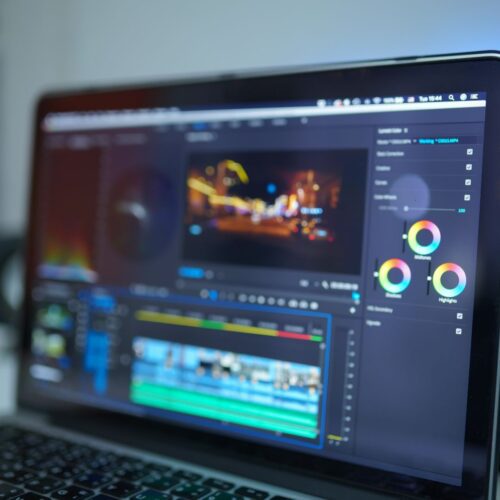
Editing transforms raw footage into polished content, a critical step in mastering how to make a video.
Choose Editing Software
- Beginners: Use tools like iMovie (Mac) or Windows Video Editor.
- Advanced users: Try Adobe Premiere Pro or Final Cut Pro.
Key Editing Techniques
- Trim unnecessary parts to maintain a tight narrative.
- Add transitions to smooth scene changes.
- Incorporate royalty-free music for background sound.
Use Special Effects Wisely
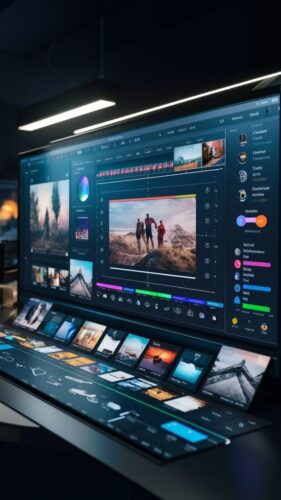
- Text overlays can emphasize important points.
- Filters adjust the mood and tone of your video.
Optimize for Platforms
Tailor your video for the platforms where it will be shared. Understanding these specifics ensures your video reaches the right audience.
Aspect Ratios
- YouTube: Landscape (16:9).
- Instagram Stories: Portrait (9:16).
- TikTok: Vertical (9:16).
Video Length
- Keep it short and engaging for social media.
- Longer videos are better suited for educational content.
Thumbnails and Titles
Eye-catching thumbnails and compelling titles improve click-through rates. Include the keyword how to make a video in the title for better search optimization.
Share and Analyze
The final step in learning how to make a video is sharing it with the world and analyzing its performance.
Promote Your Video
- Post on platforms where your audience is active.
- Engage with viewers through comments and shares.
Measure Success
- Track views, likes, and shares.
- Use analytics tools to assess watch time and audience retention.

Tips for Improving Your Video Skills
Watch Tutorials
Explore online resources like YouTube channels or online courses focused on how to make a video. These tutorials provide practical insights and inspiration.
Practice Regularly
The more videos you create, the better you’ll become. Experiment with new techniques and styles to expand your skills.
Seek Feedback
Ask for honest opinions from friends or mentors. Constructive criticism helps you identify areas for improvement.
Common Mistakes to Avoid
Skipping the Planning Stage
Jumping straight into filming without a clear plan often leads to disorganized content.
Ignoring Audio Quality
Poor sound can ruin an otherwise great video. Always test your audio setup before recording.
Overusing Effects
Too many effects or transitions can distract from the message. Keep it simple and professional.
Ways to Gain Knowledge About Video Making
Expanding your expertise in how to make a video involves continuous learning. Here’s how you can grow:
Join Communities
- Participate in online forums and social media groups focused on video creation.
- Attend workshops and webinars conducted by industry professionals.
Read Blogs and Books
- Explore blogs that cover filmmaking, editing, and storytelling.
- Invest in books that teach both the art and technicalities of video production.
Learn From Experts
- Follow renowned video creators and analyze their techniques.
- Observe their pacing, transitions, and storytelling methods.
Conclusion
Mastering how to make a video involves a blend of creativity, technical knowledge, and practice. By following these seven steps—defining your purpose, scripting, choosing equipment, shooting, editing, optimizing, and analyzing—you can create impactful videos that resonate with your audience. The journey may require effort, but with consistency, you’ll achieve professional results.
So, grab your camera, unleash your creativity, and start creating videos that leave a lasting impression!

FAQs
1. What is the first step in making a video?
The first step is defining your purpose and audience. Understand why you’re creating the video and who will watch it, as this shapes the tone, content, and style of your video.
2. Do I need expensive equipment to make a good video?
No, you don’t. Many beginners start with smartphones, which often have excellent cameras. As you progress, you can invest in affordable accessories like microphones, tripods, or lighting kits.
3. What software should I use for video editing?
Beginner-friendly software like iMovie (Mac) or Windows Video Editor works well. For more advanced editing, try Adobe Premiere Pro, Final Cut Pro, or DaVinci Resolve.
4. How can I make my videos look professional?
Use steady shots (tripods or gimbals), ensure good lighting, record clear audio, and edit with clean transitions and appropriate effects. Focus on framing your shots and maintaining a smooth narrative.
5. What is the ideal video length?
The ideal length depends on the platform and purpose:
- Social media: 15–60 seconds.
- YouTube: 5–10 minutes for engagement.
- Educational content: 10–20 minutes, depending on complexity.
6. How do I create a good script for my video?
Start with a hook to grab attention. Structure the script into a beginning, middle, and end. Use conversational language and include a clear call-to-action (CTA) if needed.
7. How important is audio in a video?
Audio is crucial. Poor sound quality can ruin a video, even if the visuals are excellent. Invest in a good microphone and reduce background noise during recording.
8. Can I make a video without prior experience?
Absolutely! Start small with basic tools and simple projects. Practice regularly, watch tutorials, and seek feedback to improve over time.
9. What are some free resources for learning video production?
YouTube has countless tutorials on how to make a video. Websites like Skillshare and Coursera also offer free courses for beginners.
10. How can I ensure my video reaches the right audience?
Optimize your video for the platform (aspect ratio, captions, hashtags). Create engaging thumbnails and titles with keywords like how to make a video to boost visibility in search engines. Share the video on relevant channels where your target audience is active.
Leave a Reply