
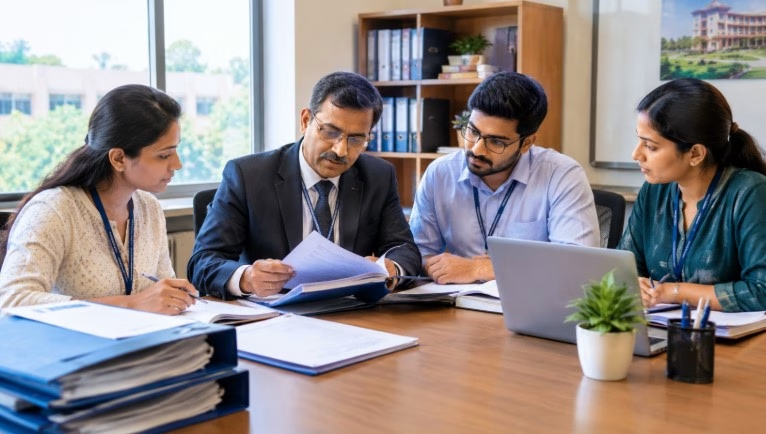
Every engineering college wants a strong result in the National Board of Accreditation (NBA) visit. However, many departments lose marks for a simple reason. Their files are not ready. Good teaching alone is not enough. Evaluators want proof, and proof lives in your files.
This guide explains NBA department files preparation in clear, practical steps. You will learn how to organize records, build CO-PO mapping, plan OBE implementation and support your SAR documentation. It is written for HoDs, NBA coordinators, IQAC members and faculty teams.
Why Department Files Decide Your NBA Result

NBA works on evidence. The expert team reads your Self-Assessment Report (SAR). Then they visit the department and check whether the files match the report. If a claim has no record, it carries little weight.
Moreover, NBA is program-level accreditation. This means each program is judged on its own. Your department must show how its vision, curriculum, teaching, results and improvement actions connect. For a quick refresher, read what NBA means in education before you begin.
Strong files give you three clear benefits:
- You answer evaluator questions in minutes, not hours.
- Your SAR numbers match your records.
- Faculty share the work, so the load does not fall on one person.
Understand What NBA Evaluators Look For
Outcomes, not just inputs
NBA follows Outcome-Based Education. It asks what students can do after the course. Therefore, labs, books and faculty count only when they link to outcomes. The Washington Accord, an international agreement on engineering degrees, shapes this outcome focus. You can read more on the Washington Accord website.
Evidence over claims
Every statement in your SAR needs a matching document. For example, if you claim a strong industry link, keep the MoU, the visit report and the student feedback. Similarly, if you claim continuous improvement, show the action taken and its result.
Always check the latest manual and SAR format on the official NBA website before you finalize your plan. Formats and criteria change from time to time.
Records evaluators ask for first
During the visit, experts usually start with a few core records. These include the CO-PO matrix, attainment sheets, sample answer scripts, faculty profiles and improvement actions. Keep these ready on the table in a labeled order. As a result, you create a confident first impression, and the rest of the visit runs more smoothly.
Step 1: Create a Clear File Structure

Start with structure. A messy folder system is the biggest hidden risk. Hence, decide one naming rule and one location for every record.
Use this simple setup for each program:
- Program folder: vision, mission, PEOs, POs and PSOs.
- Course folders: one per course, per semester.
- Student folder: admissions, results, placements and higher studies.
- Faculty folder: profiles, workload, publications and training.
- Facilities folder: labs, library and equipment records.
- Governance folder: meeting minutes, budgets and policies.
- Improvement folder: feedback, action taken reports and outcomes.
Keep both a hard copy and a soft copy. In addition, assign one faculty owner for each folder. Ownership removes confusion during the visit.
Step 2: Build the OBE Foundation
OBE implementation is the base of every NBA file. If this layer is weak, everything above it falls. So, spend time here first.
Vision, mission and PEOs
Write a short vision and mission for the department. Then define Program Educational Objectives (PEOs). These describe what graduates will achieve a few years after passing out. Next, show how stakeholders helped shape them. Keep the minutes of those meetings in the file.
Course outcomes, POs and PSOs
Program Outcomes (POs) come from NBA. Program Specific Outcomes (PSOs) are set by your department. Course Outcomes (COs) are written by faculty for each course. Write each CO with a clear action verb, such as apply, design or analyze. Avoid vague words like understand or know, because you cannot measure them.
A good CO is short and testable. For instance: “Apply the laws of thermodynamics to solve energy balance problems.” It tells you the skill and how to assess it.
Need expert eyes on your OBE and NBA files?
Our team reviews department records, finds gaps and builds a clear action plan.
Step 3: Prepare CO-PO Mapping Files

CO-PO mapping shows how each course outcome supports program outcomes. It is the heart of NBA documentation. Because of this, evaluators check it closely.
How to build the CO-PO matrix
Follow these steps for every course:
- List all COs for the course.
- List all POs and PSOs in a table.
- Mark the link strength as 1 (low), 2 (medium) or 3 (high).
- Add a short reason for each link.
- Get the HoD or program coordinator to sign it.
Do not tick every box. Over-mapping looks weak and fails a quick question from the evaluator. Instead, map only the strong and real links. Usually, a course supports a few POs well rather than all twelve.
Attainment calculation
Mapping alone is not enough. You must also measure whether students reached the outcomes. Use two types of evidence:
- Direct assessment: internal tests, assignments, lab work and end-semester exams.
- Indirect assessment: course exit surveys, alumni and employer feedback.
Set a target, such as 60 percent of students scoring above a set mark. Then calculate attainment for each CO. After that, roll CO attainment up to PO attainment using your mapping weights. Finally, record the gap and the action you will take. This last step closes the loop.
Step 4: Organize Course Files

A course file proves that teaching followed the plan. Keep it complete and current. A standard course file includes:
- Syllabus and course plan with CO list.
- Lesson plan and actual coverage record.
- CO-PO mapping sheet.
- Question papers with CO tagging.
- Sample answer scripts (high, average, low).
- Assignment and lab records.
- Attainment sheet and improvement action.
Tag every question to a CO. This single habit saves hours later. Likewise, store marks in a sheet that links directly to attainment formulas.
Step 5: Prepare Faculty and Student Files
Faculty files show quality and growth. Include qualifications, experience, workload, training, projects and publications. Strong research output also helps your faculty contribution record. If your team needs help to publish, our research paper assistance services can guide them, and our engineering journals offer a peer-reviewed platform.
Student files must show the full journey. Keep admission data, pass percentage, success rate, placement and higher study records. Add internship proofs and project work. Moreover, record student achievements in sports, competitions and technical events.
Step 6: Record Facilities, Governance and Improvement
Evaluators also check the learning environment. Keep lab lists, stock registers, maintenance logs and safety records. For the library, maintain subscription proofs and usage data. Colleges can use journal subscription services to keep digital resources current.
Governance files should hold meeting minutes, budget use and policy documents. Well-run meetings produce better records, and this guide on how to run IQAC meetings shows a simple format. Also, the role of IQAC is vital because it drives quality culture across all programs.
Finally, keep a continuous improvement file. List each feedback point, the action taken and the result. This file often separates strong departments from average ones.
Step 7: Strengthen Your SAR Documentation
The SAR is the main document the experts read before the visit. So, treat SAR documentation as a team project. Do not leave it for the last month.
Use these habits:
- Write criterion by criterion, using the current NBA format.
- Give each claim a file reference, such as a folder and page number.
- Use tables and data in place of long paragraphs.
- Check that numbers match across the SAR, files and portal data.
- Keep one person as the final editor for language and consistency.
Many colleges also work on NAAC. If you do, our NAAC SSR report writing guide and NAAC accreditation roadmap will help you reuse common records wisely. Note that NAAC is institution-level, while NBA is program-level. So, never copy content blindly.
Get your SAR checked before submission?
A short review can catch data errors and weak evidence early. Work with accreditation experts who know the process.
Step 8: Run a Mock Audit

Do a mock NBA visit at least two months before the real one. Ask a senior faculty member from another department to act as an evaluator. They should open random files and ask random questions.
Use this quick checklist:
- Can the coordinator find any record within five minutes?
- Do CO-PO matrices match the syllabus?
- Do attainment sheets use the same data as marks registers?
- Are all minutes signed and dated?
- Can faculty explain the department’s vision and outcomes?
Then fix gaps and repeat. If you want a stronger review, consider professional NBA accreditation consulting services for gap analysis and a full mock audit.
Keep Your Files Updated All Year
NBA files go stale fast. A file that was perfect last year can look weak today. Therefore, build a simple yearly rhythm.
Make it a semester routine
At the start of each semester, update course plans and CO lists. During the semester, tag questions and record marks on time. At the end, finish attainment sheets and note improvement actions. This rhythm takes little time each week, yet it prevents a heavy load later.
Use a shared tracker
Create one shared sheet that lists every file, its owner, its due date and its status. Review it in a short monthly meeting. In addition, ask each faculty member to upload documents within one week of the event. Because the tracker is visible to all, delays become easy to spot and fix.
Train new faculty early
New teachers often do not know the OBE format. So, hold a short orientation on CO writing, mapping and attainment. A one-page template for each task will also reduce errors and keep every course file consistent.
Common Mistakes to Avoid
- Preparing files only before the visit.
- Copying CO-PO mapping from another college.
- Using vague, unmeasurable course outcomes.
- Keeping marks and attainment data in different formats.
- Ignoring action taken reports after feedback.
- Leaving the SAR to one person.
Each mistake is easy to fix when you start early. A steady, year-round routine works better than a last-minute rush.
A Simple 90-Day Plan

Not sure where to start? Use this timeline. In the first 30 days, fix your file structure and review PEOs, POs and COs. In the next 30 days, complete CO-PO mapping, course files and attainment sheets. In the final 30 days, finish the SAR, run the mock audit and close all gaps. Of course, a larger department may need more time. For wider guidance, explore more accreditation guides from Mantech Publications.
Ready to make your department files audit-ready?
Talk to BGC for gap analysis, OBE support and SAR review.
Conclusion
NBA department files preparation is not a one-time task. It is a habit. Start with a clear structure, build strong OBE and CO-PO records, support every claim with evidence and review your work often. As a result, your SAR and your files will tell the same honest story. If you need guidance, our accreditation consulting team and BGC are ready to help.
Want more accreditation guidance?
Read practical articles for colleges on the BGC blog.
FAQs:
They are records proving your program’s outcomes, teaching, results, faculty work and improvement actions.
It shows how each course builds program outcomes, which evaluators use to judge outcome-based teaching.
Start at least six to twelve months early, and keep updating them every semester.
A team led by the HoD and NBA coordinator, with faculty owning each criterion.
No. NBA accredits individual programs, while NAAC assesses the whole institution.
Yes. They offer gap analysis, OBE support, SAR review and mock audits.
Leave a Reply